
Search in Toolbar
You can add the search option to your burger menu within the toolbar via the style applied to your document.
You will need to edit your custom style or create a custom style to do this!
To get to your Style you'll need to do the following:
- Select ‘Documents’ from the main menu.
-
Select ‘Settings’ followed by ‘Styles’.
- Select the Style that is applied to the document you are working on or create a new on by clicking 'Add'
Find how to create your own style here -> How to create a Style
- When you edit your style, under the 'toolbar' tab there is a search option you can tick the box of.
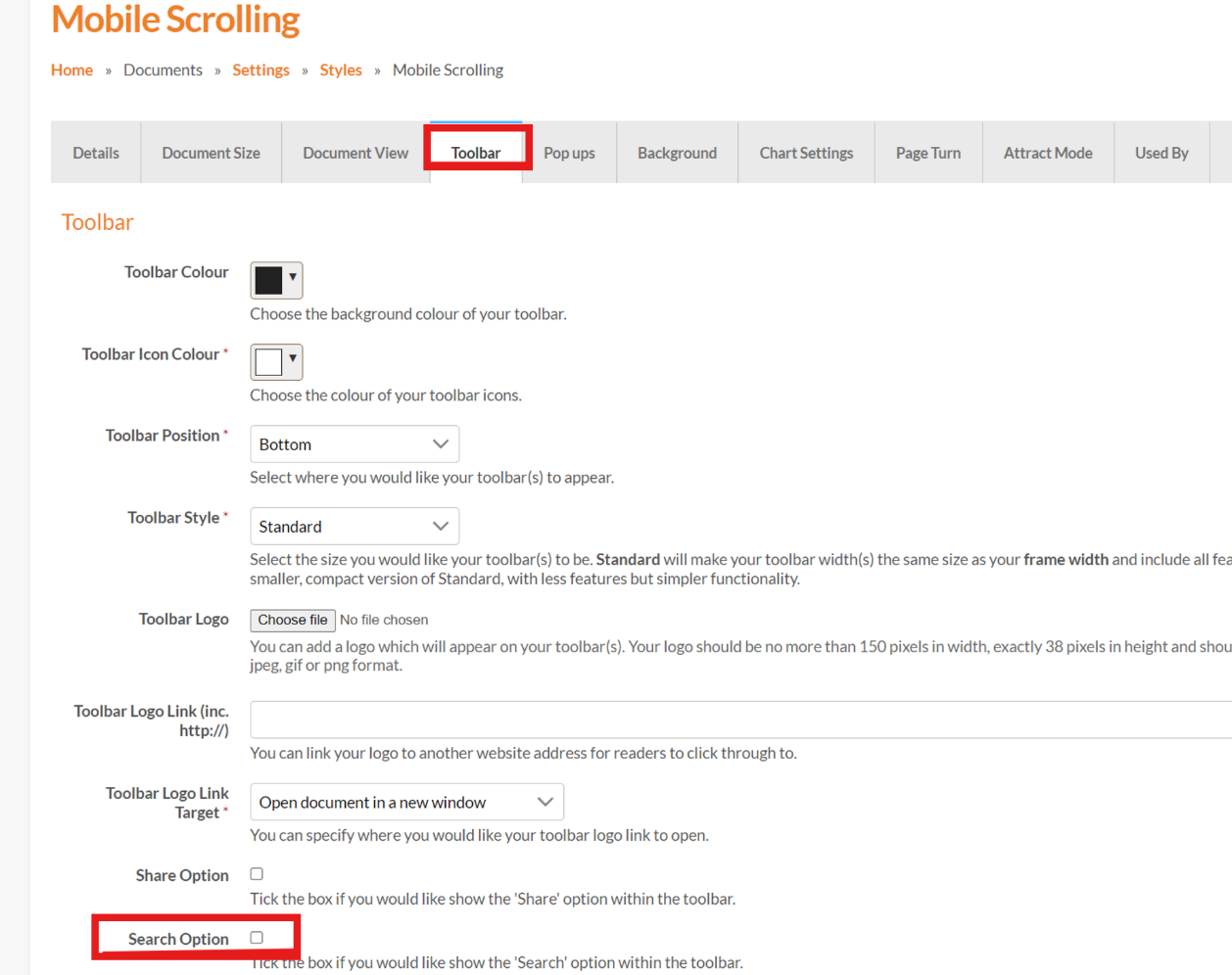
- You can then click 'save'.
You will then have a search function in your toolbar/burger menu!
Search in Menu
If you have a menu applied to the document and you'd like a search function within the menu, you can do this by doing the following:
- Select ‘Documents’ from the main menu.
-
Select ‘Settings’ followed by 'Menus'
- Click 'Edit' on the menu that you need the search option on or create a new menu by clicking 'Add'
- Navigate to the 'Menu Structure' section and a new menu item can be added by selecting the 'Add New' button.
If you need to create a menu you can follow this guide -> How to create a menu
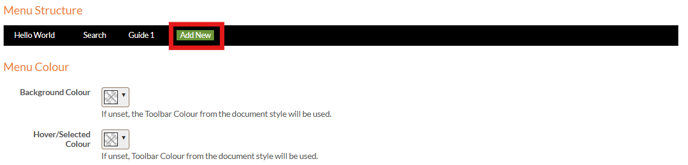
- Once you have clicked 'Add New' on the menu structure, the new menu item will open for you to edit
- You then can add a name for the new menu Item and select it's 'type'
- You have a choice between 'Search within document' and 'Search within menu' to select in the 'type' drop down
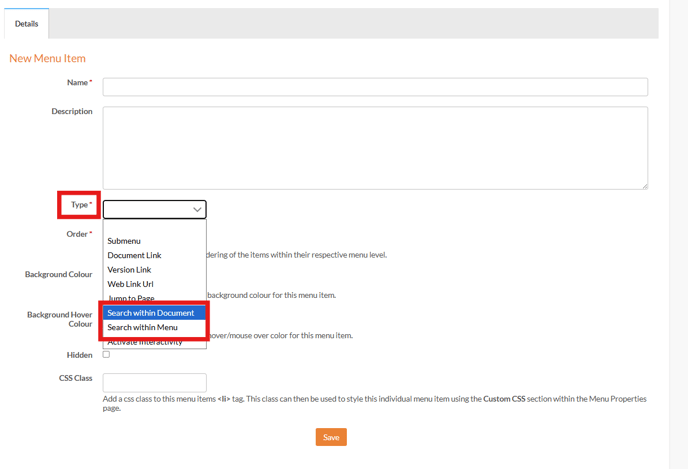
- Once chosen you can click 'save' and it will be added as a search item within your menu.