
I can't see the save button for a pop-up box
If you're working in a pop-up panel and can't see the 'Save' button at the bottom, your browser's zoom settings may be the cause.
To fix this:
-
Click the three-dot menu in your browser (usually in the top-right corner).
-
Use the minus (-) button to zoom out, or hold CTRL and scroll down with your mouse wheel.
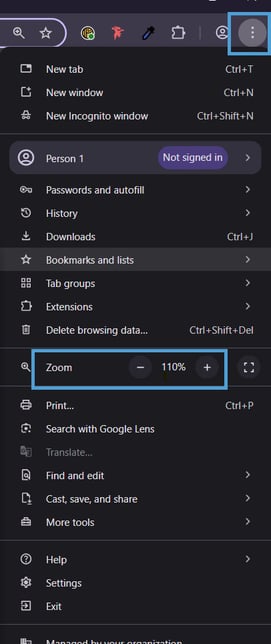
Once zoomed out, the 'Save' button should be visible.