
With automation, you can make things happen automatically - no clicks needed from the visitor. Just place the module you want to trigger off-page, then apply automation to the module that should launch it.
-
Navigate to a document.
-
Select ‘Design’ for the version of the document that you'd like to work on.
A minimum of two modules are required for this type of automation.
-
Module 1
The module that you want to automate - ensure it is positioned off-page. -
Module 2
This module is the 'trigger' - you will add automation to it.
-
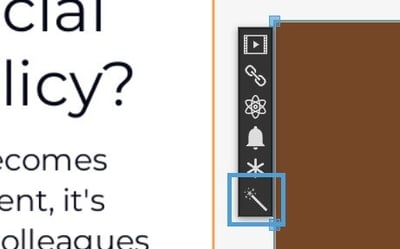
Click on module 2 on your page, and select the wand icon from the fly-out menu.
-
Select the ‘Add Automation’ button.
-
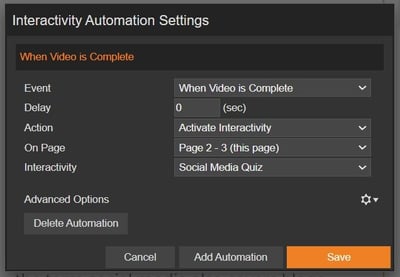
A ‘Settings’ box will then display ready to set up the Automation.
Automation Settings
Event
When the automation will happen (for example, when a pop-up is closed).
Delay
The number (in seconds) to delay the automation.
Action
The action you wish to take when the automation runs (for example, play a video).
On page
The page that the interactivity you want to automate is on.
Interactivity
The piece of interactivity that you want to automate.
Ryan wants to assess his staff’s understanding of a Social Media Policy covered in a training video. Using Automation, he sets up an assessment to automatically launch as soon as the video ends - no manual interaction required from the user. Simple!
Below are the settings needed to automate the quiz -- (Event) - open the quiz when the video has finished playing.
- (Delay) - open it straight away with no delay.
- (Action) - a piece of interactivity (the assessment) will open.
- (On Page) - the assessment is positioned on page 2-3.
- (Interactivity) - the assessment is called 'Social Media Quiz'.
The 'Always Fire' option can be found in Advanced Options. When enabled, it ensures the automation will run even if the user clicks elsewhere on the page first.
For example, if an assessment is set to launch 15 seconds after a video ends, and the user interacts with other content during that time, the automation will still trigger.