
When you create a new document, you can choose from two different design types, each offering a distinct level of design control. Whether you want a quick, more guided setup with built-in page layouts, or the flexibility to fine-tune every detail, there’s an option to match your needs!
In this section, we’ll walk through the key differences between the two design types, explain what each one is best suited for, and help you decide which approach is right for you. By the end, you’ll have a clear understanding of how to get the most out of your document design from the very start.
Whichever option you choose, remember that less is more! Keep each page focused - a clear, uncluttered layout will make your content easier to read and more engaging for your readers. You can also enhance engagement by adding interactivity such as a More Information pop-up box, Assessments, or Image Galleries, helping to bring your content to life and encourage users to explore further.
Fully Editable
Fully Editable gives you complete freedom to customise every aspect of your document’s design. From layout and page size to fonts, colours, and spacing, you’re in full control of how everything looks and feels, making it ideal if you want a truly bespoke result or need to match specific brand guidelines.
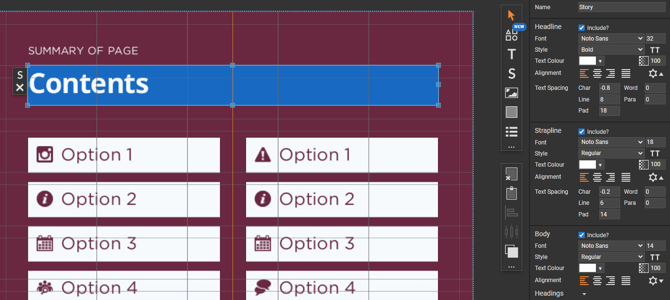
You can begin with one of our ready-made templates to save time, or start from a blank canvas and build your design from scratch. Simply choose from a range of panel types and arrange them however you like to create a layout that works for your content.
 A quick way to check that you’re working in Fully Editable is to look for the 'Design' tab in the top-left corner of your workspace.
This tab appears only when Fully Editable is used, giving you access to all the advanced design tools and settings.
Layout Library
The Layout Library, on the other hand, is ideal for quick and easy document creation. It offers a range of professionally designed page layouts where key design choices - such as text size, alignment, and positioning - are already taken care of for you. Simply drag and drop your content into place to build your design in minutes, making it a great option for anyone new to design tools or short on time.
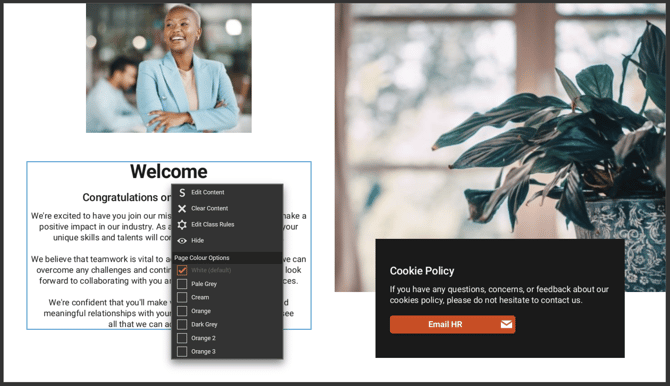
While this approach is more structured, each page layout is built using best-practice design principles to help you produce clean, professional, and visually consistent documents. You still have some flexibility too - using the Layers palette, you can show or hide specific panels to tailor the page layout to your needs.
 Components
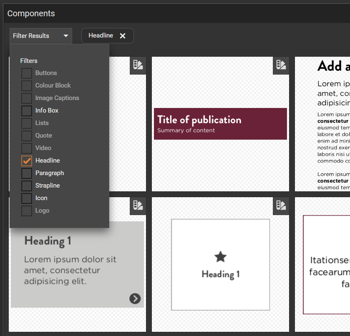
Still unsure which option is for you? Then try Components! This newly available feature can be found when using a Fully Editable design, and helps bridge the gap between Layout Library and fully customisable designs.
With Components, you can use the same page layouts available in Layout Library, but in Fully Editable mode, giving you the best of both worlds - professionally designed layouts, but with full customisation!
You can also add individual pre-built components, such as titles, text blocks or buttons - each component is designed to match your branding, so you maintain a consistent, professional look without extra effort.
If you’d like guidance or inspiration on choosing the right design type, get in touch! Your Customer Success Manager would be happy to go through the options and help you decide which works best for you.