
Improvements
-
Interactivity has been improved so when viewing a document, there are no visual gaps between the module and panel.
-
The “Jump to a page” module works more reliably with automation when documents use scrolling view.
-
The Resources Manager has been updated to display supported file types, making it clearer and easier to upload compatible content.
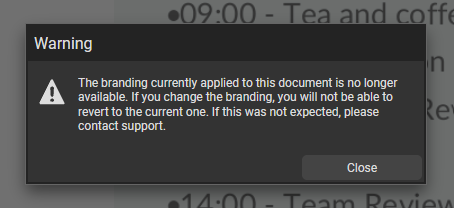
- System messaging has been improved if branding has been unshared from an account. A clearer, more specific message will now display to better understand the situation.
-
Styling preferences are now accurately reflected in Accessible View for the “No Glow” clickable area.
-
Bullet point lists now use a consistent text colour when viewing a document in High Contrast mode.
-
Video subtitles are copied when a copy of a document is made into another account, saving time and preserving accessibility settings.
-
Subtitle prioritisation logic has been updated, so if both legacy and new subtitle styles are used, the newer subtitle style will be applied.