
Yes! Expected Visitor Lists (EVL) can be used alongside an Employee Number security rule - it's a great way to secure documents for readers or visitors who don’t have an email address.
Create your EVL
- Create a new EVL and add the employee numbers of your visitors, ensuring you append your placeholder employee domain (e.g., @my-employee.com). For example - if the employee number is 12345, enter it as 12345@my-employee.com.
If you’re not sure what your placeholder email domain is, you can find it on the Employee Number tab in security rules.
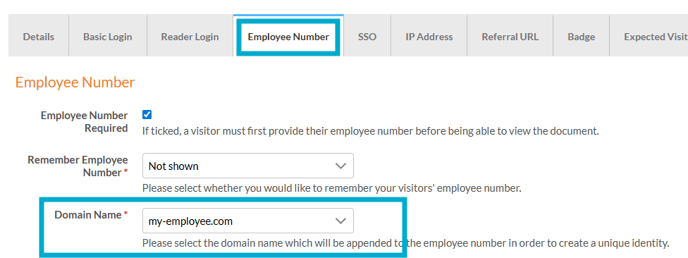
Set up the security rule
- Create a new security rule and choose the Employee Number option.
- Now click the Expected Visitors tab and select your newly created EVL.
- Remember to save!
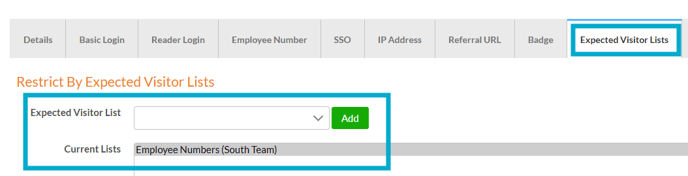
Apply the security rule to a document
- Navigate to your document.
- Select the ‘Security Rules’ tab.
- Choose the security rule from the drop-down list.
- Select ‘Save’.
When visiting your document, readers enter their employee number (no need to type the placeholder domain). If they’re on the EVL, they’ll be granted access. If not, they’ll see a message saying they don’t have permission.