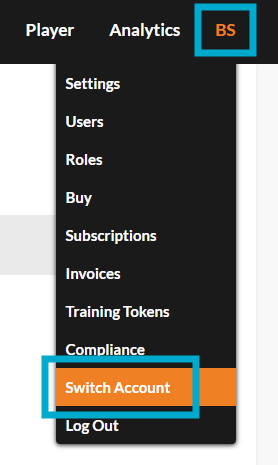
We recommend bookmarking https://admin.pagetiger.com/ to easily access your PageTiger account every time you log in.
Option 1 : manual login
Visit https://admin.pagetiger.com/ and enter your:
-
Account Number (6 digit number).
-
Email address (must be unique to you and not generic or shared).
-
Password.
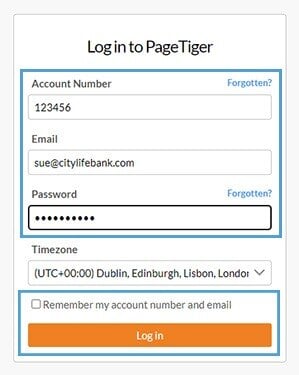
- Passwords must be a minimum of 8 characters, including at least 1 number and at least 1 special character.
- Passwords are case sensitive.
-
Do not use a word that can be found in a dictionary or the name of a person, character, product, or organisation.
-
Use something significantly different from your previous passwords.
-
Create something that is easy for you to remember but difficult for others to guess. Consider using a phrase like "5donk3ysRLo8king>".
Option 2: SSO login
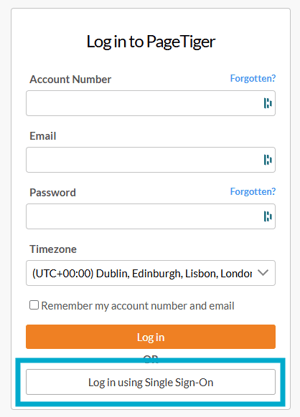
Single Sign-On (SSO) offers the highest level of security for your PageTiger account. It simplifies logging in by allowing users to securely access multiple applications and platforms with just one set of credentials - no need to remember multiple passwords.
Visit https://admin.pagetiger.com/ and select the 'Log in using Single Sign-On' button.
If you have access to multiple accounts, you can switch between them after logging in by going to 'My Account' > 'Switch Account'.